Celebrity Voice Changer: The Ultimate Guide to Hyper-Realistic AI Voices in 2026
Anna
·26 de febrero de 2026
Want to nail hyper-realistic celebrity voices for your videos, gaming streams, or pranks, but every app you've tried sounds robotic or fake? Most users waste hours on glitchy tools that disappoint. This 2026 guide delivers the top apps like Voices AI, with over 15 million downloads, plus step-by-step setup to clone stars instantly.
Introduction to Celebrity Voice Changers in 2026
Voice technology has moved fast. Just a few years ago, computer-generated voices sounded robotic and cold. You could tell immediately that a machine was speaking. But in 2026, the line between reality and AI has blurred significantly.
Today, you can speak into your phone and sound exactly like a famous politician, a movie star, or a chart-topping singer. It is not just for tech experts anymore. Millions of people use these tools daily for fun, content creation, and gaming. Whether you want to prank a friend or create a viral video, celebrity voice changers have made high-end audio production accessible to everyone with a smartphone.
What Is a Celebrity Voice Changer?
A celebrity voice changer is software that transforms audio or text into the specific vocal likeness of a famous person. Unlike standard voice modulators that just change pitch or add echo, these tools use advanced AI to mimic unique vocal traits.
Here is what they analyze:
- Tone and timbre (the unique quality of the sound)
- Cadence (the rhythm of speech)
- Pronunciation habits
The software takes your input—either a typed script or a recording of your own voice—and processes it through a model trained on the celebrity's actual voice data. The result is a new audio file that sounds like that person said your words.
Why Celebrity Voice Changers Are Exploding in Popularity
Social media feeds are full of AI covers and funny voiceovers. This surge in popularity comes down to accessibility and creativity. People want new ways to entertain their audiences, and audio is the current frontier.
"Voice AI allows creators to produce high-quality content without needing expensive recording equipment or professional voice actors."
The numbers back this up. Recent data shows that 67% of content creators use voice modification in their work (The Crunch - 2026). It is no longer a niche tool for developers; it is a standard part of the creator toolkit. From gaming lobbies to TikTok trends, everyone wants to sound like someone else for a moment.
How Celebrity Voice Changers Work: The AI Magic Explained
It might seem complicated, but the concept is straightforward. These tools rely on deep learning, a type of artificial intelligence that mimics how human brains learn.
Here is the basic process:
- Data Collection: The AI listens to hours of a celebrity's speech.
- Pattern Recognition: It identifies specific quirks, pitch changes, and emotional tones.
- Synthesis: It builds a digital model that can predict how that voice would say new words.
Voice Cloning Technology
Voice cloning is the engine behind the software. It uses neural networks to analyze thousands of voice samples. This helps the system understand the subtle nuances of human speech that make a person unique.
Machine learning algorithms then identify patterns in these characteristics. They learn how to replicate them convincingly, so the output doesn't just sound like a generic human, but specifically like the target celebrity.
Real-Time Processing and Synthesis
Once the model is trained, it needs to generate audio. This happens through two main methods: Text-to-Speech (TTS) and Speech-to-Speech (STS).
In TTS, you type words, and the AI reads them aloud using the cloned voice. In STS, the system listens to your voice recording, strips away your vocal identity, and applies the celebrity's characteristics to your words while keeping your original emotion and timing.
Top Celebrity Voice Changer Apps and Tools for 2026
The market is crowded, but not all tools are equal. Some require powerful desktop computers, while others run smoothly on your phone.
When looking for the right tool, consider these factors:
- Platform availability: (iOS, Android, Web)
- Library size: How many voices can you choose from?
- Quality: Does it sound robotic or natural?
- Features: Can you clone your own voice?
Voices AI: Hyper-Realistic Voices for Everyone
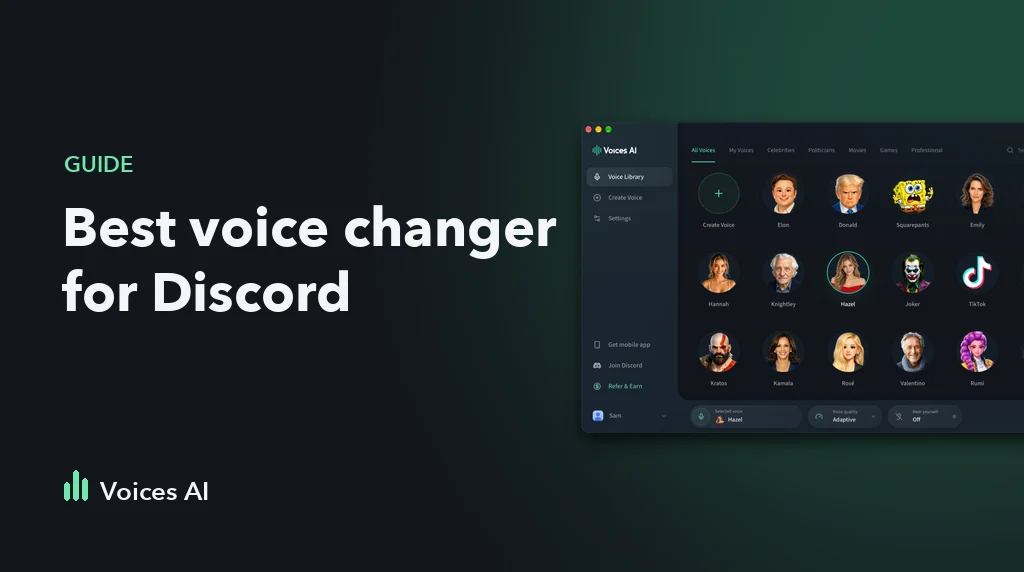
Voices AI stands out as a top choice for consumers in 2026. It is designed for ease of use, available on iOS, Android, and the web. The platform specializes in hyper-realistic voice cloning, meaning the output sounds just like the real person, not a cheap imitation.
Key features include:
- 300+ Voice Library: A massive selection of politicians, celebrities, and characters.
- Dual Modes: Supports both text-to-speech and speech-to-speech.
- Custom Cloning: Users can clone any voice by uploading a short audio sample.
Quick Comparison: Voices AI vs. Voicemod, ElevenLabs, and Others
Choosing the right tool depends on your needs. Here is how the landscape looks this year.
| Feature | Voices AI | Voicemod | ElevenLabs |
|---|---|---|---|
| Primary Use | Mobile/Consumer Fun | Live Gaming | Enterprise/Devs |
| Voice Library | 300+ Celebrities | Fantasy/Effects | Generic/Custom |
| Ease of Use | High (App-based) | Medium (Desktop) | Medium (Web) |
| Celebrity Focus | Yes | No | No |
Voices AI is the go-to for instant celebrity impressions on mobile, while others focus on PC gaming or professional narration.
Getting Started with Voices AI
Using this technology is incredibly simple. You do not need technical skills or audio engineering knowledge. The app handles the heavy lifting in the cloud.
The process is fast. You can go from downloading the app to sharing a funny video in under two minutes. Here is exactly how to do it.
Step 1: Download and Set Up on iOS, Android, or Web
First, get the app. Voices AI is available on the Apple App Store and Google Play Store. If you prefer working on a computer, you can access the web version through your browser.
Once installed, open the app. You do not need a complicated setup. The interface is clean and intuitive, designed to get you to the creative part immediately.
Step 2: Select your Favorite Celebrity
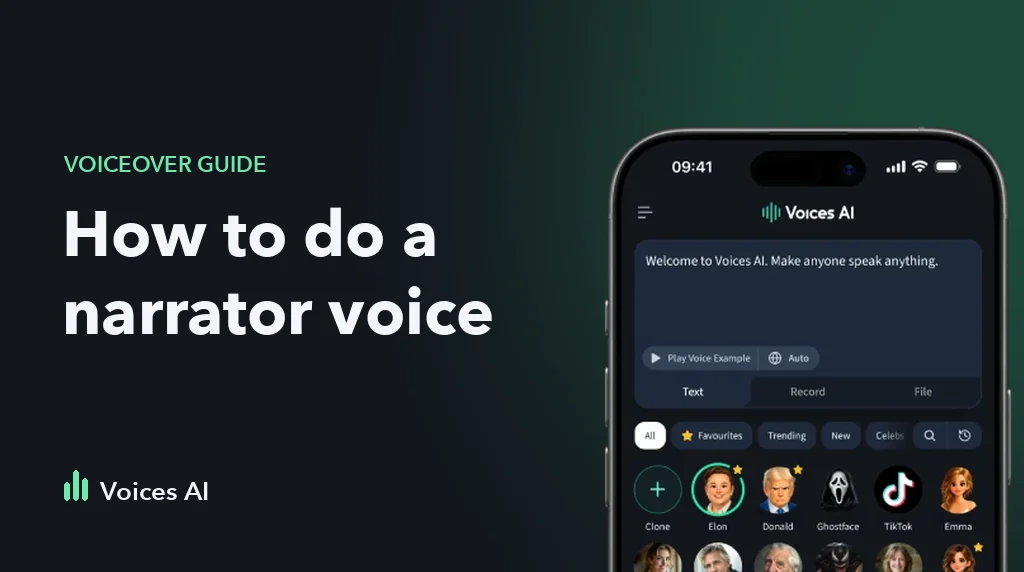
Now for the fun part. Browse through the library of over 300 voices. You will find categories for:
- Famous politicians
- Hollywood stars
- Iconic singers
- Cartoon characters
Tap on a face to select that voice. If you want a voice that isn't in the library, you can use the cloning feature. Just upload a short audio sample or record a clip, and the AI will create a custom voice model for you.
Step 3: Generate Voiceovers
You have two choices here.
- Text-to-Speech: Type your message into the text box. The AI will generate the audio instantly.
- Speech-to-Speech: Record yourself speaking or upload an audio/video file. The app will convert your voice into the celebrity's voice.
After the audio is generated, you can save it, share it directly to social media, or use it in your video projects.
Best Use Cases for Celebrity Voices
People use these tools for more than just a quick laugh. The applications are diverse and creative.
Consider these popular uses:
- Gaming: Trolling teammates in voice chat with a famous character's voice.
- Content Creation: Making parody videos or "AI covers" for TikTok and YouTube.
- Personal Messages: Sending a birthday greeting that sounds like it came from the recipient's favorite singer.
- Storytelling: Adding distinct voices to audiobooks or fan fiction readings.
Common Mistakes to Avoid with Voice Changers
While the tech is powerful, user error can ruin the result. To get the best quality, you need to provide good input.
Avoid these common issues:
- Background Noise: If you are using speech-to-speech, record in a quiet room. The AI might try to process the noise as part of the voice.
- Mumbling: Speak clearly. If the AI cannot understand your words, the output will sound garbled.
- Over-acting: Sometimes, trying too hard to mimic the celebrity yourself confuses the AI. Speak naturally and let the software do the work.
Legal and Ethical Considerations in 2026
With great power comes responsibility. Using someone else's voice is fun, but it requires common sense and ethical behavior.
Do not use voice changers for:
- Fraud or scams
- Defamation or bullying
- Spreading misinformation
Always make it clear that the content is AI-generated. Most platforms now require you to label AI content. Parody is generally protected, but impersonating a public figure to deceive people is a serious issue. Use the tool for entertainment, not deception.
The Future of Celebrity Voice Changers
We are just scratching the surface. As we move through 2026, the technology will get even faster and more accurate.
Expect to see better emotional control, where you can direct the AI to sound happy, sad, or angry with a simple toggle. Real-time translation will also improve, allowing you to speak in English and have a celebrity voice output the audio in Spanish or Japanese instantly. The gap between real and synthetic audio will continue to close.
Conclusion
Celebrity voice changers have transformed from novelty toys into powerful creative tools. They allow anyone to produce high-quality, entertaining audio content in seconds.
Whether you are a content creator looking to grow your channel or just want to make your friends laugh in a group chat, Voices AI offers an accessible, high-quality solution. The technology is here, it is easy to use, and it is more realistic than ever. Download free on iOS & Android and see who you can become today.
Frequently Asked Questions
Is Voices AI free to use?
Voices AI offers a free trial that gives you full access to all 300+ celebrity voices, text-to-speech, and speech-to-speech. Custom voice cloning is available on premium plans, starting at $7.99/week.
How long does it take to clone a custom voice in Voices AI?
Cloning takes roughly 20 seconds after uploading a minimum of 10-second clear audio sample. The AI processes it in the cloud, delivering a usable voice model instantly for text-to-speech or speech-to-speech.
Can I use celebrity voice changers during live streams?
Soon! We are working at Voices AI and will bring you soon the highest-quality realtime voice changer available.
What devices work best with Voices AI?
Voices AI runs smoothly on iOS 15+, Android 10+, and modern web browsers like Chrome. Desktop use via web excels for editing; mobile is ideal for quick recordings with 90% of users preferring apps.
Related Articles
Explore more guides and features on Voices AI:
- How to Make an AI Voice: A Step-by-Step Guide for Beginners — Learn the basics of creating your own custom AI voice from scratch, no technical skills required.
- Voice Cloning Made Simple — Deep dive into how voice cloning works and how to create personalized audio with Voices AI.
- TikTok Voice Generator: How to Use Voice Over for TikTok — Create viral TikTok content using AI voiceovers and celebrity voices.
- Text-to-Speech Feature — Type any text and hear it spoken in 300+ celebrity and custom voices instantly.
- Speech-to-Speech Feature — Transform your own voice recordings into any celebrity voice in seconds.
- Voice Cloning Feature — Clone any voice from a short audio sample and use it for text-to-speech or speech-to-speech.
- Explore All Voices — Browse the full library of 300+ celebrity, character, and custom voices available on Voices AI.
About the Author

Anna
AI Researcher at Voices AI
Anna is an AI researcher with over 4 years of experience, focused on AI voice applications and models. At Voices AI, she explores how modern AI can be applied to voice generation, helping shape the product trusted by over 15 million users worldwide. She writes practical guides to make AI voice technology accessible to creators and developers alike.