
Santa
Straight from the North Pole
Create with Santa
Christmas with Voices AI
A message from Santa. A call to the North Pole. A song that’s all yours. Make something magical for your favourite people.
Made with AI. Shared with a little love.
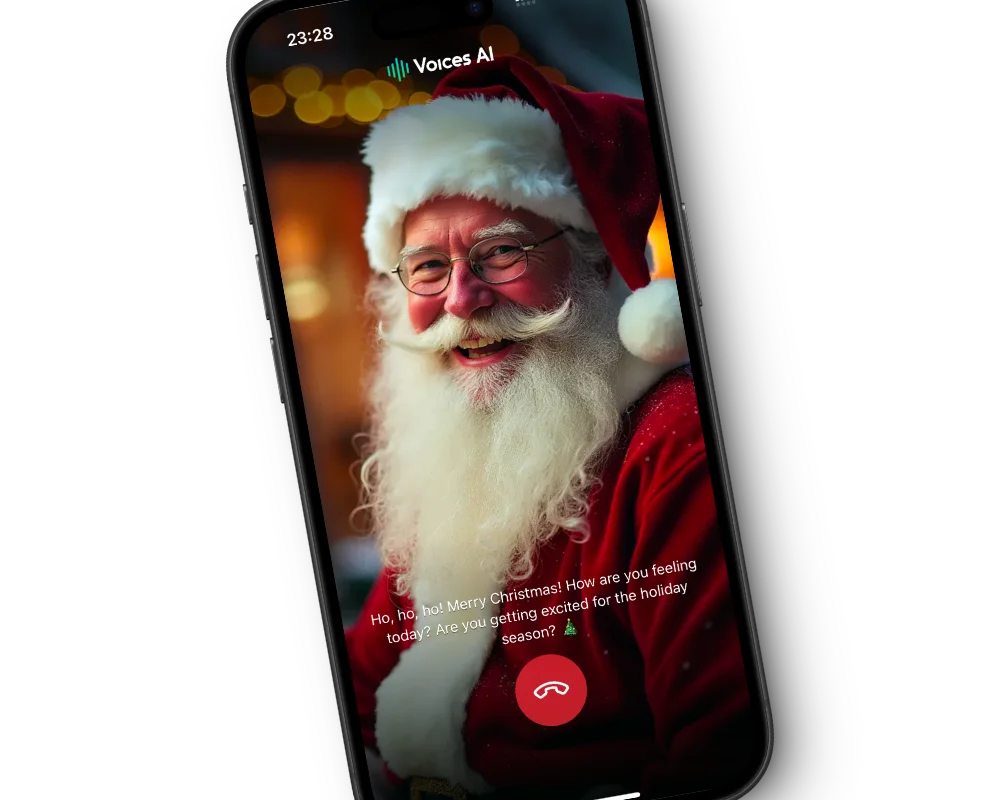 A little closer to the North Pole
02 / More than a “ho, ho, ho”
Ask about the reindeer. Talk Christmas wishes. See where the conversation goes. Have a back-and-forth voice conversation with AI Santa in the Voices AI app.
Call Santa in the appOpen Chats → choose Santa → tap the call button.
AI character experience. Account access and credits apply.
03 / Meet the festive cast
Press play, find a favourite, and give your next greeting a little character.
Straight from the North Pole
Create with Santa
For a story full of wonder
Create with Charlie
A little extra festive spirit
Create with Buddy
Ready for a Christmas adventure
Create with Rudolf04 / Put your Christmas on repeat
A cosy acoustic carol. A ridiculous family anthem. A festive pop song with everyone’s name in it. Describe the sound, add your lyrics, and make your own Christmas soundtrack.
Create a Christmas songA few little details
Yes. Write your own message in Studio, include a name and a personal detail, and select Santa. Listen to the result before sharing, especially to check the pronunciation of names.
Download Voices AI on iOS or Android. Open Chats, choose Santa, and tap the call button in the conversation. This is an AI character conversation inside the app, not a phone call to a real person.
Yes. Open the song creator in Studio or in the mobile app. Describe a festive style, add your own lyrics if you like, and generate your song. Song vocals are generated by the music model, not by the Santa voice.
You can listen to the voice samples on this page without signing in. Creating audio, songs, and AI calls uses the access or credits available in your account. Check the app or Studio for current plans.
Voices AI is free to download. Calls with Santa use the credits in your account and are charged per minute, so check the app for current pricing before you call.
Yes, on a computer. Voices AI Live changes your microphone into a Santa voice in real time in Zoom, Discord, FaceTime on Mac, and other desktop apps on Windows and Mac. It does not work on regular phone calls.
A little magic, wherever you are
Santa calls, personal messages, and festive songs.
Find them all in Voices AI for iOS and Android.