Message any character
Send texts and get replies in character. You can attach images to your messages too.

AI character chat
Voices AI lets you chat with AI characters on iPhone and Android, by text or by voice call. Pick a character, send a message or tap call, and talk to them in their voice. You can also turn a cloned voice into your own character and tell it who it is.
Tap a voice to hear it. In the app, open Chats and pick the same character to message or call.
Send texts and get replies in character. You can attach images to your messages too.
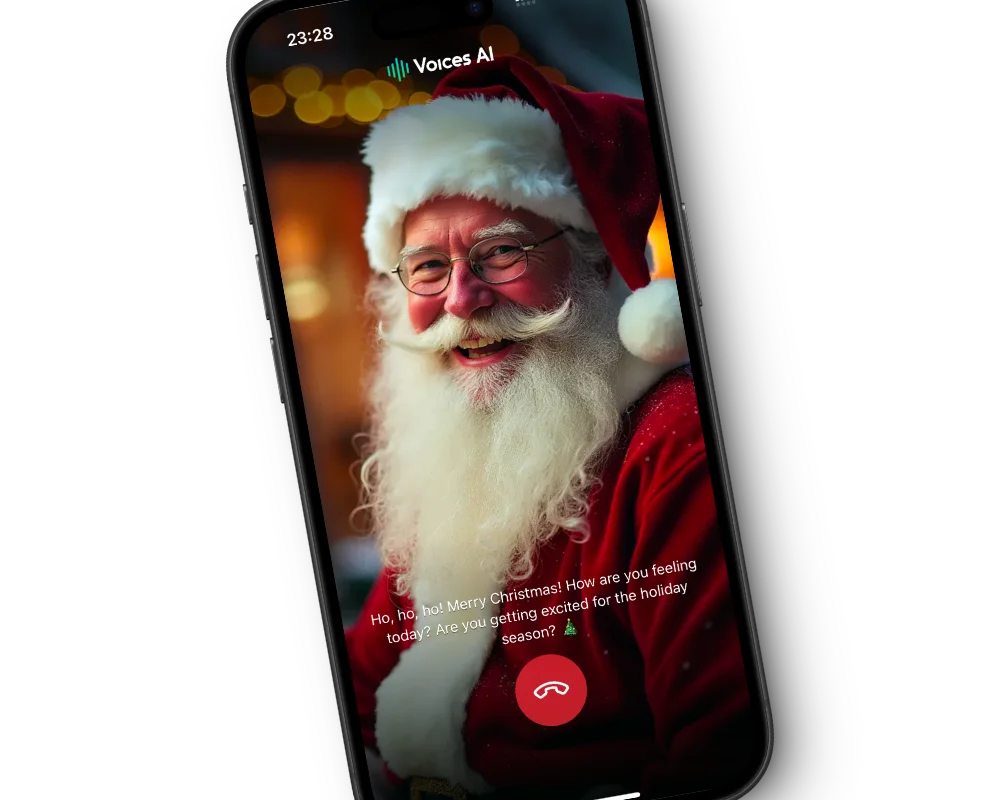
Tap the call button for a real-time voice conversation in the character's voice. Calls are charged per minute in credits.
Pick a cloned voice, give it a name, describe who they are and what they know about you, and start chatting.
Characters pick up details from your conversations, so the next chat feels like a continuation.
Get the free app on the App Store or Google Play.
Start a new chat and pick a character.
Type a message, or tap call to talk out loud.
Set up who the character is for better conversations.
Ask Santa what is on the naughty list, argue strategy with a war god, or get advice from a wizard. Characters stay in role, so it feels like talking to them rather than to a generic assistant.
Voice calls are good for practice too: rehearse a conversation, warm up before a presentation, or simply practice speaking out loud with someone who talks back.
Clone a voice from a short recording, name the character, and describe who they are, how they talk, and what they know about you. Everything is optional, and the character keeps learning as you chat.
Every character is an AI, including parodies of famous people. It can be wrong, and the app reminds you to treat what it says as fiction. Do not rely on a character for medical, legal, or financial advice.
Start with something the character would care about: ask a wizard about a spell, Santa about the reindeer, or a villain about their plan. Short, specific messages get better replies than a plain "hi".
If a conversation drifts, steer it the way you would with a person, or reset the chat to start fresh.
A call is a real-time conversation: you talk, and the character answers out loud in its voice. Use headphones in a quiet room for the smoothest call, and allow microphone access when the app asks.
Yes. Open a chat and tap the call button for a real-time voice conversation. Calls are charged per minute in credits.
Voices AI is free to download. Chats and calls use the credits in your account, with calls charged per minute. The app shows current pricing.
Yes. Clone a voice, name the character, and describe who they are. They also learn from your chats.
Yes. You can attach JPEG, PNG, WebP, or GIF images up to 10 MB to a message.
No. Every character is an AI, including parodies of famous people. Treat what they say as fiction.
Yes. Open Chats, choose Santa, and tap the call button to talk to him, or send a message instead.
Character voices are AI-generated parodies. They are not affiliated with or endorsed by their rights holders.
Generate Voiceovers & songs with AI
Message and call AI characters in their own voices, or create your own.


