Prank voice messages
Type the prank, pick a voice, and send the audio on WhatsApp, Telegram, or iMessage.

Prank voice changer
Voices AI is a prank voice changer for iPhone and Android. Make a famous or scary voice say your prank, or record yourself and turn your voice into someone else, then send it as a voice message. Want to prank friends live on a call from your computer? Voices AI Live does that on Windows and Mac.
Try it free in your browser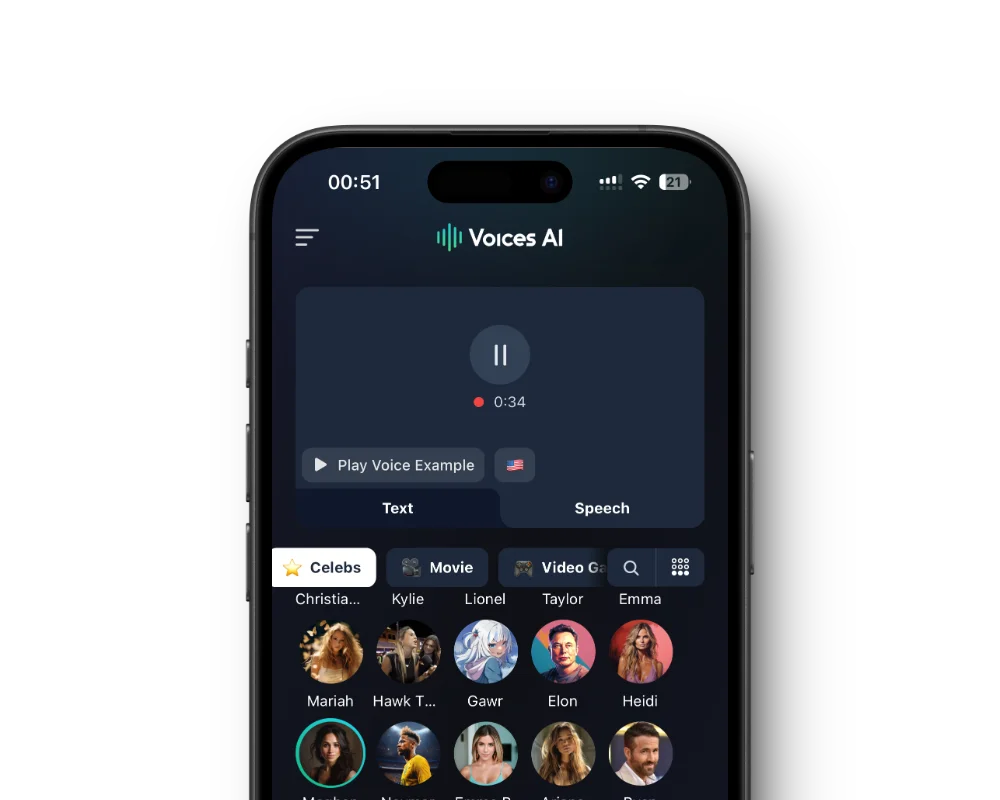
Tap a voice to hear its sample. All of them work for text to speech and the voice changer.
Type the prank, pick a voice, and send the audio on WhatsApp, Telegram, or iMessage.
Record yourself, convert it into a different voice, and send it. Your timing and reactions stay yours.
Voices AI Live changes your microphone in real time in WhatsApp Desktop, Discord, and Zoom on Windows and Mac.
Prank yourself instead: start a voice call with a character in Chats and see where the conversation goes.
Get the free app on the App Store or Google Play.
Play the samples and choose the voice your friend will recognize, or fear.
Write the line, or record yourself and use the voice changer.
Share the audio in your chat and wait for the reply.
The best pranks are short and believable for about five seconds. A celebrity parody congratulating your friend on a ridiculous achievement, a horror villain reminding them to lock the door, or the TikTok narrator describing their morning routine as a life hack.
Make it personal. Use their name, their pet, or an inside joke, because the moment they realize the voice knows something about them is the payoff.
Not from the app. iPhone and Android do not let apps change your voice during normal phone calls. Send a prank voice message instead, or use Voices AI Live on a computer for calls in WhatsApp Desktop, Discord, Zoom, and similar apps.
Prank people who will laugh about it, reveal that it was you, and stop if they are upset. Never use a voice to threaten someone, to pretend to be the police, a bank, or a family member in trouble, or to contact emergency services. Those are not pranks, and in many places they are crimes.
Voices AI is free to download on iPhone and Android, and you can play every prank voice sample first. Making clips uses the credits or subscription in your account, so check the app for plans.
Not on a regular phone call from the app. Send a prank voice message instead, or call from WhatsApp Desktop, Discord, or Zoom on a computer with Voices AI Live.
Yes. Type the line, pick the voice, and generate it. Celebrity voices are AI parodies, so keep it obviously a joke.
Any app that accepts audio files, including WhatsApp, Telegram, and iMessage. Save the audio from Voices AI and share it.
Harmless pranks between friends are common, but threatening, harassing, or impersonating someone to deceive them can be illegal. This is not legal advice: when in doubt, do not send it.
Character voices are AI-generated parodies. They are not affiliated with or endorsed by their rights holders.
Generate Voiceovers & songs with AI
Famous and scary voices for your next prank voice message.


