
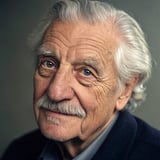
 Knightley


Knightley AI voice generator and text to speech
Create a Knightley voiceover. Edit your text and download the audio in your browser.
These are prerecorded examples. To hear your own words, generate a new recording in the app or Studio.
Create audio in StudioHow to use the Knightley voice changer
- 1Play the sample and choose a voice.
- 2Open Voices AI and look for “Knightley”, or continue in Studio with this voice selected.
- 3Enter your script, review the available generation options, and preview the result before saving.
Follow the voiceover workflow guide for script preparation, generation, and checking your finished audio.
Ideas for your Knightley voiceover
For a monologue, give each paragraph a single idea. Use punctuation to mark sentence boundaries and remove notes that should not be spoken. Preview the difficult section before generating the entire text.
- NarrationLong ago, in a village at the edge of the forest, there lived an old clockmaker who could fix anything but his own heart.
- WisdomIn my many years, I have learned this: patience is not waiting. It is how you behave while you wait.
- InspirationThe greatest journeys rarely begin with certainty. They begin with a single, uncertain step.
Save the script version that produced your preferred result. If you later change the wording or generation settings, listen again before replacing the audio in a finished project.
Use the Knightley voice on iPhone or Android
Turn your text into voiceovers, memes and messages in the Voices AI app. Open Voices AI and look for “Knightley”, or continue in Studio with this voice selected.
Voice availability and credit requirements can vary by platform. Check the app or Studio before generating.
Questions about the Knightley voice
Voice availability and credit requirements can vary by platform. Check the app or Studio before generating.
Create a Knightley voiceover. Edit your text and download the audio in your browser. Enter your script, review the available generation options, and preview the result before saving.
Use the same short script, language, and model settings for both voices where available. Compare name pronunciation, pauses, and how well the output fits your edit. The comparison is more useful when the text stays the same.
Knightley's older, storytelling tone suits audiobook passages, documentary-style narration, fictional monologues, and bedtime stories. Test a few lines of your actual script before generating the whole piece.


