Best Voice Changer for Discord: Free and AI Options Compared

Anna
·October 13, 2026
The best voice changer for Discord depends on what you want: a convincing character voice for game nights, a silly effect for laughs, or a way to keep your real voice private. This guide explains what matters, compares the main options, and shows you how to set one up.
A quick disclosure: we make Voices AI Live, one of the options below. We have tried to describe every tool fairly, but features and prices change, so check each product's own site before you decide.
What to look for in a Discord voice changer
AI voices or classic effects
Classic voice changers apply effects to your voice: pitch shifts, robot filters, echo, and similar. They are light on your computer, but listeners can still hear you underneath. AI voice changers replace your voice with a neural model, so you can sound like a different person, while your words, timing, and emotion stay yours. They need more computing power.
Latency
Anything that changes your voice adds a small delay. A few tenths of a second is fine for chatting and most games. If you play fast competitive games with lots of callouts, test the delay with friends before relying on it.
Windows and Mac support
Many voice changers are Windows-first. If you use a Mac, check that the tool runs natively on your Mac and supports your version of macOS.
Price and free voices
Most voice changers have a free tier with a limited set of voices, and a paid plan for the full library. Check what the free voices sound like before you pay.
Privacy
Some voice changers process audio on your computer, while others may send it to a server. If privacy matters to you, check where your audio goes.
Discord voice changer options
Voices AI Live (Windows and Mac)
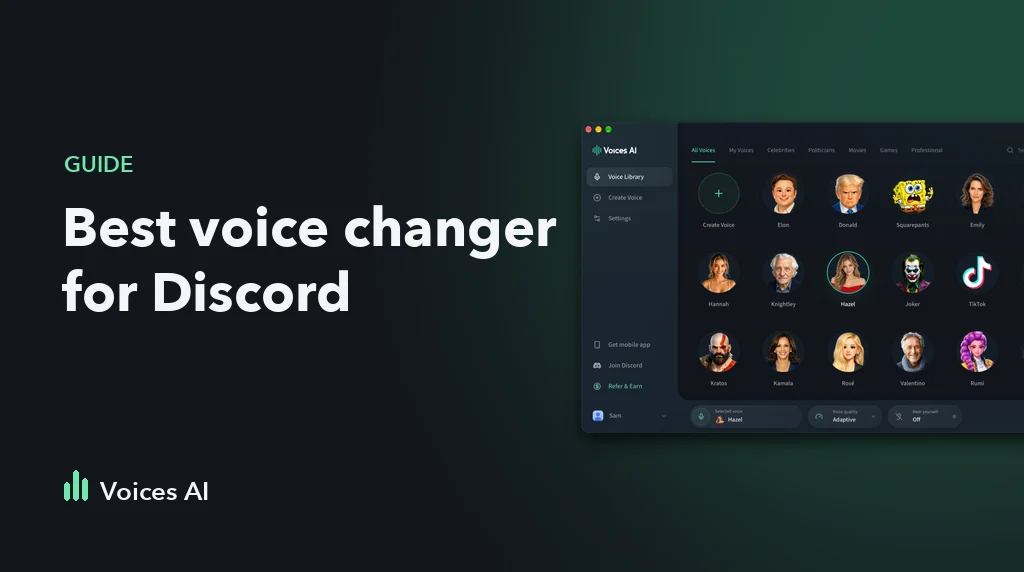
Voices AI Live is a real-time AI voice changer for Windows 10 or later and Apple Silicon Macs on macOS 14 or later. It converts your voice locally on your computer and creates a virtual microphone that you select in Discord. It includes free voices, character and parody voices, and you can clone your own voice from a short recording. Premium unlocks the rest of the voice library.
Best for: sounding like a specific character or person in voice channels, on Windows or Mac.
Voicemod (Windows, with Mac support that has varied)
Voicemod is one of the best-known voice changers and soundboards for gamers. It offers a large set of voice effects, a soundboard, and a free tier with a selection of voices. Its Mac availability has changed over time, so check its current system requirements.
Best for: effects and soundboard sounds for streams and games. We also wrote a detailed Voicemod alternative comparison.
Clownfish Voice Changer (Windows)
Clownfish is a free, lightweight voice changer for Windows that applies effects system-wide, so it works in Discord and other chat apps. It focuses on classic effects such as pitch and robot voices rather than AI voice conversion.
Best for: a free, simple effect on an older or less powerful Windows PC.
MorphVOX Pro (Windows)
MorphVOX Pro is a long-running paid voice changer with voice effects and background sounds, plus extra voice packs. It is sold as a one-time purchase rather than a subscription; check its site for the current price and platforms.
Best for: people who prefer a one-time purchase for classic voice effects.
Quick comparison
| Voices AI Live | Voicemod | Clownfish | MorphVOX Pro | |
|---|---|---|---|---|
| Voice type | AI voice conversion | Mostly effects | Classic effects | Classic effects |
| Windows | Yes | Yes | Yes | Yes |
| Mac | Yes, Apple Silicon | Check current support | No | Check current support |
| Price | Free voices, Premium plan | Free tier, paid plan | Free | Paid |
Details as of October 2026. Check each product's site for current features and pricing.
How to set up a voice changer in Discord
These steps work for most voice changers, including Voices AI Live:
- Install the voice changer and start it. Restart your computer if it asks you to finish installing its virtual microphone.
- Pick a voice in the voice changer.
- Open Discord, go to User Settings, then Voice & Video, and set Input Device to the voice changer's microphone.
- Turn off noise suppression under Voice Processing, or set it to None, so Discord does not filter the converted voice.
- Wear headphones so voices from the call do not leak into your microphone.
If friends still hear your normal voice, Discord is still using your physical microphone. Check the input device again, and make sure the voice changer is running with a voice selected. Our Discord voice changer guide covers more fixes.
What about Discord on your phone?
Voice changers cannot change your voice live in the Discord mobile app. On your phone, you can make a voice clip instead: record yourself in the Voices AI app, convert it into another voice, and share the audio file in your Discord chat.
Use voice changers fairly
Follow each server's rules and Discord's community guidelines. Do not use a voice to harass people, impersonate real people or staff, or deceive anyone.
FAQ
What is the best free voice changer for Discord?
It depends on your computer and what you want. Clownfish is free and simple on Windows. Voices AI Live includes free AI voices on Windows and Mac. Voicemod has a free tier with a selection of voices.
Why does my voice sound robotic on Discord with a voice changer?
Discord's own voice processing can fight with a voice changer. Set Noise Suppression to None, turn off Automatic Gain Control, and close heavy apps you are not using. If it still cuts out, lower the input sensitivity threshold.
Can people tell I am using a voice changer on Discord?
Classic effects are easy to spot. AI voice changers sound much more natural, but how convincing they are depends on the voice, your microphone, and how you speak.
Can I use a voice changer on Discord mobile?
Not live. You can make a voice clip in a voice changer app on your phone and share it as an audio file in Discord.
Will I get banned for using a voice changer on Discord?
Using a voice changer is not against Discord's rules by itself. Harassment, impersonation, and breaking a server's rules are, whether or not your voice is changed.
About the Author
Anna