 TikTok



















TikTok AI voice generator and text to speech
Create a TikTok voiceover. Edit your text and download the audio in your browser.
These are prerecorded examples. To hear your own words, generate a new recording in the app or Studio.
Create audio in StudioHow to use the TikTok voice changer
- Play the sample and choose a voice.
- Open Voices AI and look for “TikTok”, or continue in Studio with this voice selected.
- Enter your script, review the available generation options, and preview the result before saving.
Follow the voiceover workflow guide for script preparation, generation, and checking your finished audio.
Ideas for your TikTok voiceover
Write the hook as one sentence, put each main point on its own line, and finish with a short closing. Generate a short draft before editing the video so that your captions can follow the actual timing of the speech.
- Video introduction
Your next video starts with one simple idea. Show the result first, explain how you did it, and give your audience a reason to try it.
- Travel narration
We left before sunrise with no plan beyond the coast. By lunchtime, we had found a quiet beach, a tiny café, and a reason to stay another day.
- Quick tutorial
Here is a quick way to organize your desk. Keep what you use every day within reach, move the rest into one drawer, and leave a clear space for your next idea.
Spell abbreviations the way you want them read. Test names and numbers separately. If the audio is too long, shorten the script instead of relying on an estimated video duration.
Use the TikTok voice on iPhone or Android
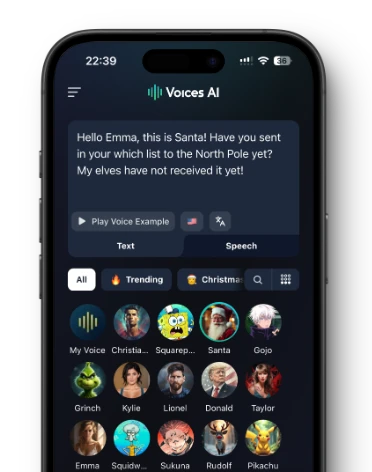
Turn your text into voiceovers, memes and messages in the Voices AI app. Open Voices AI and look for “TikTok”, or continue in Studio with this voice selected.
Voice availability and credit requirements can vary by platform. Check the app or Studio before generating.
Use the TikTok voice live in Discord and games
Download Voices AI Live, choose the TikTok voice in the desktop app, and select the Voices AI virtual microphone in Discord, a game, OBS, Zoom, or another microphone-enabled app.
- Download Voices AI Live Choose the installer for your supported Windows PC or Apple Silicon Mac.
- Select TikTok Open the voice library in Voices AI Live and choose this voice.
- Choose the Voices AI microphone Set the Voices AI virtual microphone as the input in Discord, your game, OBS, Zoom, or another app.
Voices AI Live is available for Windows 10 or later and Apple Silicon Macs running macOS 14 or later.
Download Voices AI LiveQuestions about the TikTok voice
Voice availability and credit requirements can vary by platform. Check the app or Studio before generating.
Create a TikTok voiceover. Edit your text and download the audio in your browser. Enter your script, review the available generation options, and preview the result before saving.
The entry on this page is labeled TikTok in Voices AI and uses the voice_adam identifier in Studio. Search for TikTok in the library. This does not mean the voice is an official TikTok service or that it matches every voice offered inside TikTok.
Check the current terms and the permissions needed for your project before publishing. Access to an AI voice does not itself establish endorsement or commercial usage rights.
Voices AI Live is available for Windows 10 or later and Apple Silicon Macs running macOS 14 or later.